Dot Grid Journal KDP Template: Avoiding Common Publishing Pitfalls
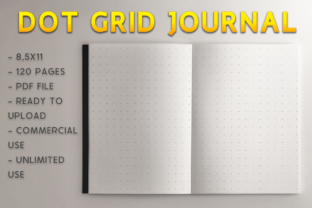
Creating a successful low-content book on Amazon requires more than just uploading a file; it demands precision in formatting and an understanding of print specifications. A high-quality Dot Grid Journal KDP Template serves as the foundational blueprint for publishers who want to offer a professional writing experience without spending hours designing individual pages. This specific template, sized at 8.5 x 11 inches with bleed settings pre-configured, addresses one of the most frequent technical hurdles in self-publishing: ensuring the dot pattern extends correctly to the edge of the page while maintaining safe margins for binding.
Many aspiring publishers underestimate the importance of using a verified template. They often attempt to generate dot grids manually or use free resources that lack proper bleed allowances. The result is frequently rejected by KDP’s automated review system or, worse, approved but printed with misaligned margins that ruin the user experience. By utilizing a dedicated Dot Grid Pages Template designed specifically for KDP’s 8.5 x 11 trim size with bleed, you eliminate guesswork. This ready-to-upload PDF contains 120 pages of perfectly spaced dots, allowing you to focus on cover design and marketing rather than troubleshooting interior formatting errors.
The Critical Role of Bleed in Dot Grid Design
The most common mistake when publishing grid-based journals is misunderstanding how bleed functions. Bleed means the artwork or pattern extends beyond the final trim line of the book. For a dot grid journal, this is essential because users expect the dots to run consistently across the page, often right up to the binding edge. If you select "no bleed" during upload but your PDF has dots near the edge, KDP will flag an error. Conversely, if you select "bleed" but your content stops short of the trim line, you will end up with an unintended white border that looks unprofessional.
This 8.5 x 11 Dot Grid Journal Template solves this alignment issue by adhering to strict KDP specifications. However, simply having the file is not enough; you must understand why it works to avoid future errors. The template includes the necessary extra margin (typically 0.125 inches on the top, bottom, and outside edges) that gets trimmed off during production. When evaluating any KDP template, always verify that the document dimensions match the bleed requirements exactly. A standard 8.5 x 11 document without added bleed space will be rejected if you intend for the dots to reach the paper's edge. Always confirm the PDF page size is actually 8.625 x 11.25 inches before uploading if you have selected the bleed option.
Spacing Consistency and User Experience
Beyond technical printing specs, the usability of the journal determines its long-term success. A frequent oversight in low-content publishing is inconsistent dot spacing. Some creators use software that creates dots based on pixel density rather than physical measurements, leading to grids that are too dense or too sparse for practical note-taking. Standard dot grid spacing is typically 5mm (approximately 0.2 inches). This specific interval supports both handwriting and sketching without feeling cluttered.
When choosing or auditing a Dot Grid Pages Template, measure the distance between dots physically or via your PDF viewer’s measurement tool. Inconsistent spacing breaks the visual rhythm and frustrates customers who rely on the grid for bullet journaling, diagramming, or technical drawing. Furthermore, ensure the dot opacity is balanced. Dots that are too dark distract from written content, while dots that are too light may not reproduce clearly on standard KDP cream or white paper. This template provides optimized contrast suitable for black-and-white interior printing, avoiding the muddy appearance that occurs when grayscale values are not calibrated for commercial digital presses.
Evaluating Page Count and File Integrity
Efficiency in publishing also involves making smart decisions about page count and file management. This template includes 120 pages, which is a strategic sweet spot for many journal categories. A common error among beginners is maximizing page count to increase perceived value, resulting in books that are too thick, expensive to print, or heavy for daily carry. Alternatively, books with fewer than 80 pages can sometimes feel insubstantial. Before finalizing your project, consider your target audience’s actual usage patterns. Professionals and students often prefer moderate thickness for portability.
File integrity is another area where preventable mistakes occur. Even with a perfect template, corruption can happen during transfer or modification. Always open your downloaded PDF in multiple viewers to check for rendering issues. Ensure no hidden layers, watermarks, or editable fields remain in the final upload. KDP processes the exact file provided; they do not fix formatting glitches. Since this product is an instant download PDF, treat it as a master copy. If you need to modify the page count or add custom front matter, duplicate the file first so you always retain a pristine version of the original Dot Grid Journal KDP Template for future projects.
Matching Interior Specifications During Upload
Possessing the correct file is only half the battle; selecting the matching options in the KDP dashboard is equally vital. Mismatches here cause the majority of rejection notices. When uploading this 8.5 x 11 bleed template, you must explicitly select:
- Trim Size: 8.5 x 11 inches
- Bleed: Bleed (PDF only)
- Paper Type: White or Cream (both work, but verify contrast preference)
- Cover Finish: Matte or Glossy (Matte is generally preferred for journals to reduce glare during writing)
A practical warning: Do not assume KDP will auto-detect bleed settings. The system relies entirely on your manual selection combined with the PDF dimensions. If you accidentally select "No Bleed" with this template, the previewer will show safety margin violations because the dots extend into the trim zone. Take thirty seconds to double-check these settings against the template specifications before hitting publish. This small verification step saves days of revision time.
Strategic Advantages of Pre-Formatted Templates
Using a professionally prepared Dot Grid Journal Template is ultimately about resource allocation. Time spent debugging margins or recalculating grid intervals is time not spent on keyword research, cover design, or building an author platform. For entrepreneurs, educators, and freelancers entering the KDP space, this template represents a standardized asset. It ensures that every journal you publish maintains consistent quality, which builds brand trust with repeat customers.
Moreover, starting with a compliant template reduces the learning curve associated with print-on-demand technology. Instead of learning through rejection emails, you learn by studying a correctly formatted document. Examine the margins, observe the safe zones, and understand the relationship between the digital file and the physical product. This knowledge transfers to other low-content formats like lined notebooks, graph paper journals, or planners. By mastering the fundamentals with a reliable Dot Grid Pages Template, you establish a solid foundation for a sustainable publishing workflow that prioritizes quality and customer satisfaction over quick, error-prone production.